How We Built a Multiplayer Code Editor with Cloudflare, Yjs, and CodeMirror
How we built CoderScreen's collaborative interview editor with Yjs and CodeMirror, kept it in sync with a Cloudflare Durable Object per room, and ran the candidate's code in a sandbox.

Kuba Rogut
CoderScreen runs live technical interviews. An interviewer and a candidate get on a call and need to write, edit, and run code together, in one shared editor, at the same time. That's a multiplayer code editor: two people typing into the same file, each seeing the other's changes as they happen, with a real runtime behind it.
On paper it's simple. Two people open the same URL, one interviewer and one candidate, and everything stays in sync. Both cursors move. One of them hits Run and they both watch the same output come back. The hard part hides inside "stays in sync." The obvious way to build it breaks the moment two people type at once. This post builds up the single-file version and saves multi-file workspaces for a follow-up. First, why the obvious way fails.
Why "just send the keystroke" doesn't work
The obvious approach is to broadcast keystrokes. Someone types, you send everyone else in the room a small instruction like insert "X" at position 5, and each client applies it. With one person editing, that works fine. With two, it quietly corrupts the document. Everything else in this post exists to avoid that, so it's worth seeing exactly how it breaks.
A position only means something against one exact version of the document. In a live session, everyone's version is changing at once. By the time your insert at 5 reaches the other person, their position 5 has moved, because they've been typing too. Each client applies the incoming edits to a document that has already shifted, in a slightly different order, and the two copies drift apart. Raw operations aren't enough on their own. You need something underneath that makes edits safe to apply in any order.
Say both screens show hello. At the same instant, Alice inserts X at position 0 and Bob inserts Y at position 0. Each sends the other their operation as-is: insert("X", 0) and insert("Y", 0). Alice applies Bob's op to her document, which already starts with X, and gets YXhello. Bob applies Alice's to his, which already starts with Y, and gets XYhello. Both edits landed, but in opposite orders, because each position was computed against a document that had already changed. Two keystrokes in, and the screens disagree.
  Both screens start from "hello". At the same moment,
  Alice inserts "X" at position 0 and Bob inserts "Y" at position 0.

  NAIVE — broadcast raw positions
    Alice: types "X" -> "Xhello", then applies Bob's insert@0 -> "YXhello"
    Bob:   types "Y" -> "Yhello", then applies Alice's insert@0 -> "XYhello"
    Alice ends at "YXhello", Bob ends at "XYhello" — they disagree.

  CRDT — every insert carries a stable id
    Alice's "X" = id a1, Bob's "Y" = id b1
    Both clients order the two inserts the same way (a1 before b1)
    Alice ends at "XYhello", Bob ends at "XYhello" — they agree.
Now add fast typing, network jitter that reorders messages, and a reconnect that replays edits made while offline. Position-based patches don't stand a chance. What you actually need is a data structure where concurrent edits combine to the same result no matter what order they arrive in.
CRDTs to the rescue
That data structure is a CRDT, short for Conflict-free Replicated Data Type. The idea: independent copies can be edited at the same time and always merge back to the same result, whatever order the edits show up in. No central referee decides who wins. The merge rules live in the data itself, so each client applies every change locally and still ends up with an identical document. It's the same family of technique behind the live editing in Figma and Apple Notes. (The other well-known option is Operational Transformation, which Google Docs uses. OT needs a smart, authoritative server to rewrite every edit; a CRDT lets ours stay dumb and just pass updates along.)
For text, the trick is to stop thinking in positions. A text CRDT gives every character a permanent id and remembers where it sits relative to its neighbors: this X goes after that specific character, not "at index 5." Indices move as the document changes; the link between two particular characters doesn't. So when two people insert at the same spot, their characters have different ids and a fixed tie-break rule, and every client sorts them the same way. Deletes work the same way. A character gets marked as removed instead of shifting everything after it. Because every operation points at a stable id rather than a moving index, you can replay operations in any order and still land in the same place. It's also why a candidate can keep typing through a Wi-Fi drop and have those edits merge cleanly on reconnect.
Yjs implements all of this so we don't have to. You work with shared types that look familiar: Y.Text for a string, Y.Map for an object, Y.Array for a list, all hanging off one root document, a Y.Doc. Every edit produces a small binary update. Hand that update to any other Y.Doc, in any order, and Yjs folds it in using the stable ids under the hood. There's more bookkeeping than a plain string, but Yjs coalesces runs of characters and garbage-collects deleted ones, so in practice the overhead is small. It also ships a good CodeMirror binding, y-codemirror.next, that connects the editor straight to a Y.Text. Local keystrokes flow into the CRDT, remote updates flow back into the editor.
The server in the middle isn't the one doing the reconciling. It relays each client's edits and holds the latest state, but the actual merging happens on every client independently, thanks to those stable ids. Here's the same race, this time with the server drawn in:
  Alice's Y.Doc            relay server            Bob's Y.Doc
  -------------            ------------            -----------
  types "X"        ─────▶   stores the     ─────▶  integrates update a1
  integrates b1    ◀─────   latest state    ◀─────  types "Y"
                            & fans every
                            update out to peers

  Each client owns a full copy of the document as its own Y.Doc. A
  keystroke becomes a compact binary update tagged with stable character
  ids (Alice's "X" = a1, Bob's "Y" = b1). The server never reorders
  updates or picks a winner — it just persists the latest state and
  relays each update. Both Y.Docs integrate a1 and b1 by their ids, so
  Alice and Bob independently converge on the same "XYhello".
A single shared file
Start with one file: two people typing into the same document at once. For a live interview, that's the entire collaborative-editing problem. And the core of it is small. A file is one Y.Text, Yjs's shared-string type, bound to a code editor. Get that binding right and most of the multiplayer work is done.
The editor is CodeMirror 6. We picked it over Monaco (the one behind VS Code) because it's lighter and has a proper Yjs binding. That binding, yCollab, is really the whole thing: it turns the editor's local edits into Y.Text updates and pushes incoming Y.Text updates back into the editor, so the two stay mirror images of each other.
import * as Y from 'yjs';
import { EditorState } from '@codemirror/state';
import { basicSetup } from 'codemirror';
import { yCollab } from 'y-codemirror.next';

// the simplest collaborative editor: one shared Y.Text bound to CodeMirror
const doc = new Y.Doc(); // one document (local, for now)
const ytext = doc.getText('code');

const state = EditorState.create({
  doc: ytext.toString(),
  extensions: [
    basicSetup, // CodeMirror's default bundle: line numbers, history, keymaps, highlighting
    yCollab(ytext, null), // 2nd arg is awareness (shared cursors); we leave it null here
  ],
});
The reason that one line does so much: CodeMirror treats editor state as a single immutable value you swap out, so an incoming edit runs through the exact same path as a local keystroke. Nothing special to reconcile. What we've got so far is the shape of a collaborative editor, a Y.Text that any number of clients could converge on. What we don't have is any of it on screen, or a way for those clients to reach each other. On screen first.
Getting it on screen
This has to live inside our React app, and CodeMirror doesn't slot in cleanly. It's imperative: you construct an EditorView and it takes over a DOM node, which fights with how React wants to own the DOM. The fix is a small useEffect. Build the view and attach it to a div on mount, then tear it down on unmount.
import { useEffect, useRef } from 'react';
import * as Y from 'yjs';
import { EditorState } from '@codemirror/state';
import { EditorView, basicSetup } from 'codemirror';
import { yCollab } from 'y-codemirror.next';

function CodeEditor() {
  const ref = useRef<HTMLDivElement>(null);

  useEffect(() => {
    const doc = new Y.Doc(); // local, for now
    const ytext = doc.getText('code');

    const view = new EditorView({
      state: EditorState.create({
        doc: ytext.toString(),
        extensions: [basicSetup, yCollab(ytext, null)],
      }),
      parent: ref.current!,
    });

    return () => view.destroy(); // CodeMirror is imperative — clean it up
  }, []);

  return <div ref={ref} className='h-full' />;
}
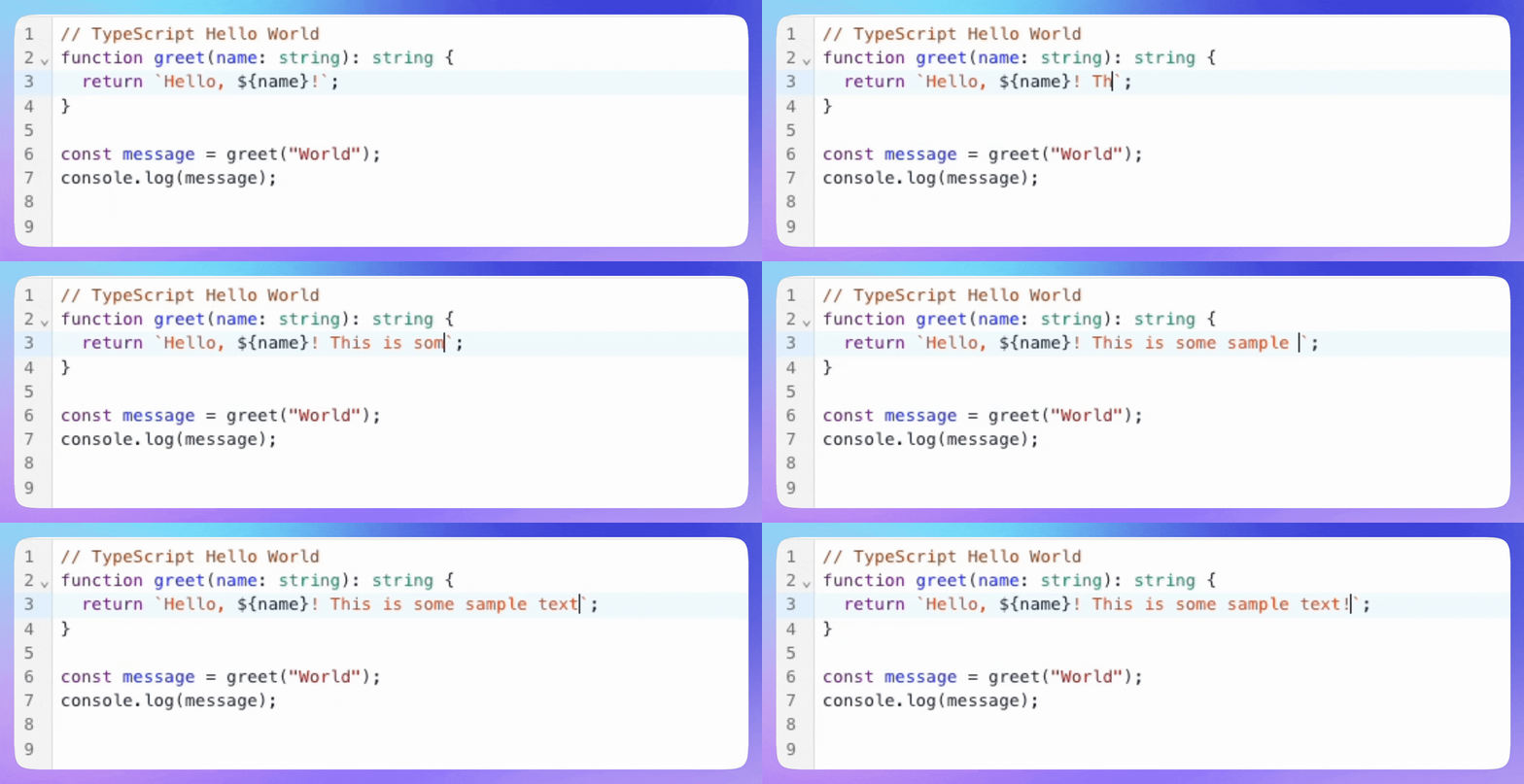
The editor mounted in React: typing, undo, and highlighting, all backed by a local Y.Text. Nothing's shared yet.
It's an island, though. That Y.Text lives in a Y.Doc inside this one tab. Open the same interview in a second tab and you get a completely separate document. Nothing crosses between them. For that, every client's updates have to reach every other client, which means a server in the middle relaying them.
Relaying is the easy half. The harder half is that the server also has to hold the room's live document in memory, as one authoritative copy that both people read and write, and make sure everyone in that room talks to that same copy.
One room, one owner: Durable Objects
This is what Cloudflare Durable Objects are for. Picture one as a tiny, long-lived server that owns a single slice of state, and Cloudflare guarantees there's exactly one of it per id, anywhere in the world. You don't start them or place them. You address one by name (here, the room id), and the platform routes every request and WebSocket for that name to the same instance. It spins up on first use, near whoever connected, and hibernates when the room goes quiet. Each one also gets its own durable storage, so the state outlives any single connection.
That single-instance guarantee is the whole reason it fits. Everyone in a room lands on the same object, which gives the canonical Y.Doc one obvious place to live in memory. We don't have to coordinate concurrent edits here anyway. The CRDT already does that, and applying Yjs updates is order-independent by design (it's also plain synchronous JavaScript, so two updates can't interleave halfway through). All the Durable Object provides is the single meeting point. So we key one object per room with Room.idFromName(roomId), keep the room's Y.Doc inside it, and broadcast every incoming update to the connected clients. The "one room, one owner" problem just disappears, and we never stand up a Redis or reach for sticky sessions to get there.
                              ╔══ Durable Object: Room(roomId) ══╗
  ┌──────────┐                ║   ┌──────────────────────────┐   ║
  │ client A │ ◀════════════▶ ║   │  the one in-memory Y.Doc │   ║
  └──────────┘                ║   │  (the canonical state)   │   ║
                              ║   └──────────────────────────┘   ║
  ┌──────────┐                ║                                  ║
  │ client B │ ◀════════════▶ ║   it relays every edit out to    ║
  └──────────┘                ║   every connected client         ║
                              ╚══════════════════════════════════╝
Wiring it up takes two small pieces, one on each side, and both come from PartyKit, an open-source toolkit (now part of Cloudflare) for building real-time backends on top of Durable Objects. It handles the annoying parts of the WebSocket layer and ships Yjs helpers for each end: y-partyserver on the server (the YServer class we'll get to) and y-partykit on the client. On the client, we use y-partykit's useYProvider hook. The provider is Yjs's transport. It opens a WebSocket to the room's Durable Object, gives you back a Y.Doc that stays in sync with the server and everyone else, and handles reconnection for you. This is where the standalone Y.Doc from earlier turns into a live one. The editor now binds to provider.doc rather than a local document:
import useYProvider from 'y-partykit/react';

// open a synced connection to this room's Durable Object
const provider = useYProvider({
  party: 'room',                                     // which Durable Object class to route to
  room: roomId,                                      // one provider — and one Y.Doc — per room
  host: `${API_URL}/rooms/${roomId}/public/connect`, // where the room server lives
});

// bind the editor to the *synced* document instead of a local Y.Doc
const ytext = provider.doc.getText('code');
On the server side, the Durable Object extends y-partyserver's YServer base class, which handles the Yjs sync protocol. All we add on top are two lifecycle hooks for persistence.
Since the whole room is one CRDT, persistence barely takes any code. onSave serializes the document to a binary blob with Y.encodeStateAsUpdate, base64-encodes it, and upserts it into Postgres. onLoad replays that blob into a fresh document when the room wakes up. We debounce onSave so a candidate typing steadily doesn't hit the database on every keystroke. Next to the blob, we also write the plain values (the code, the language, who joined, the status) into ordinary columns, so dashboards and post-interview review can read them without spinning up a Yjs runtime. When the room goes idle the object hibernates, and that snapshot is what a returning candidate loads. Anything they typed during a disconnect merges back in instead of overwriting.
The whole room server comes out to this:
import { YServer } from 'y-partyserver';

// YServer (y-partyserver's Durable Object base class) owns the room's Y.Doc, handles
// client WebSockets, and runs the Yjs sync protocol. Cloudflare runs one per room id.
// `Bindings` is the Worker's typed env (DO namespaces, R2, secrets).
export class RoomServer extends YServer<Bindings> {
  // runs once when the room wakes up, before any client connects
  async onLoad() {
    const saved = await loadRoomContent(this.name); // this.name is the room id
    if (saved) {
      // replay the saved binary snapshot back into this room's Y.Doc
      Y.applyUpdate(this.document, new Uint8Array(Buffer.from(saved.rawContent, 'base64')));
    }
  }

  // runs (debounced) whenever the document changes
  async onSave() {
    const update = Y.encodeStateAsUpdate(this.document); // snapshot the whole CRDT
    const rawContent = Buffer.from(update).toString('base64');
    // persist rawContent to Postgres, alongside plain columns (code, language, users, status)
  }
}
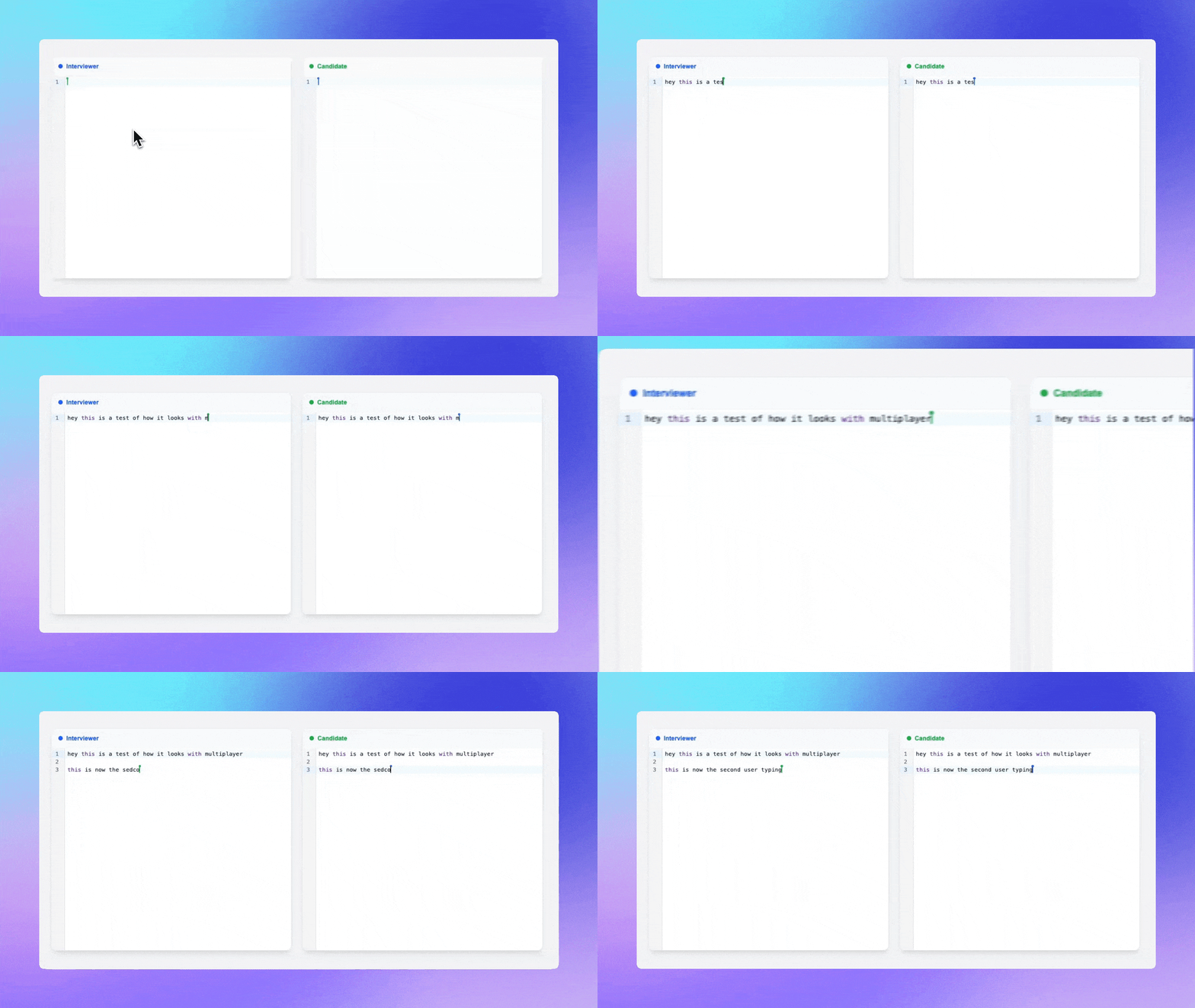
Two clients, one Durable Object. An edit in one window shows up in the other right away, and it survives a refresh.
Running the code: sandbox containers
An editor that can't run code isn't much of an interview tool, so the last piece is execution. It's also the one thing the stack so far can't do. Running a candidate's program needs a real machine with a filesystem, a shell, and the ability to start a python3 or a compiler. It also needs real isolation, because you're letting strangers run whatever they type on your servers. A Durable Object is a small JavaScript sandbox. It's the wrong tool for this.
So execution runs in a Cloudflare Sandbox, a full Linux container, one per room. The image comes with the toolchains for every language we support already installed (Node and tsx, Python, Go, Rust, Java, C/C++, Ruby, PHP, a bash runner), so Run doesn't pay an install cost each time. Containers are slower to start than an isolate, so a sandbox sleeps after a few idle minutes and wakes on the next run.
The server side is the boring part, which is fine. Write the file into the room's sandbox, run it with a hard timeout, and collect the output. Compiled languages get a compile step first; interpreted ones go straight to running. Either way you come out with one result: stdout, stderr, and an exit code.
import { getSandbox } from '@cloudflare/sandbox';

// server: run the room's file in its sandbox and return the whole result
async function runCode(roomId: string, code: string, config: LanguageConfig, env: Env) {
  const sandbox = getSandbox(env.SANDBOX, roomId); // this room's Linux container
  await sandbox.writeFile(`/workspace/main${config.ext}`, code);

  // compiled languages compile first; the timeout guards against infinite loops
  if (config.compileCommand) {
    const compiled = await sandbox.exec(config.compileCommand, { timeout: 15_000 });
    if (!compiled.success) return compiled; // surface compile errors as output
  }

  const result = await sandbox.exec(config.runCommand, { timeout: 15_000 });
  return { stdout: result.stdout, stderr: result.stderr, exitCode: result.exitCode };
}
The interesting part is getting that output onto both screens. Only one person clicked Run, and the result comes back to their browser over plain HTTP. The other person's browser knows nothing about it. We could add a second channel to push it out to the room, but there's already one thing that reaches everyone: the shared document. So the client that ran the code doesn't render the result itself. It drops it into the room's Y.Doc, onto an executionHistory array:
// the client that clicked Run: put the result into the shared document
const result = await runRoomCode({ language });          // POST /run → { stdout, stderr, ... }
provider.doc.getArray('executionHistory').push([result]);
After that it's the same path as every keystroke. The push changes the Y.Doc, the Durable Object fans the change out over WebSocket, and both output panels react, because each one is just watching the array:
// every client: the output panel observes the array and renders the latest run
const history = provider.doc.getArray('executionHistory');
history.observe(() => setLatest(history.get(history.length - 1)));
So the run output takes the exact same route as the code. It's one more piece of shared state, which means no "who asked for this" bookkeeping and no second socket to keep alive. It also gets saved with the room, so post-interview review can replay every run the candidate made. There's one honest tradeoff: since we push a single result at the end, the output appears all at once instead of streaming in live. For snippets that finish in a second or two that's fine, and if we wanted live streaming later the same trick works, just with chunks pushed into a Y.Text in the doc instead of one result object.
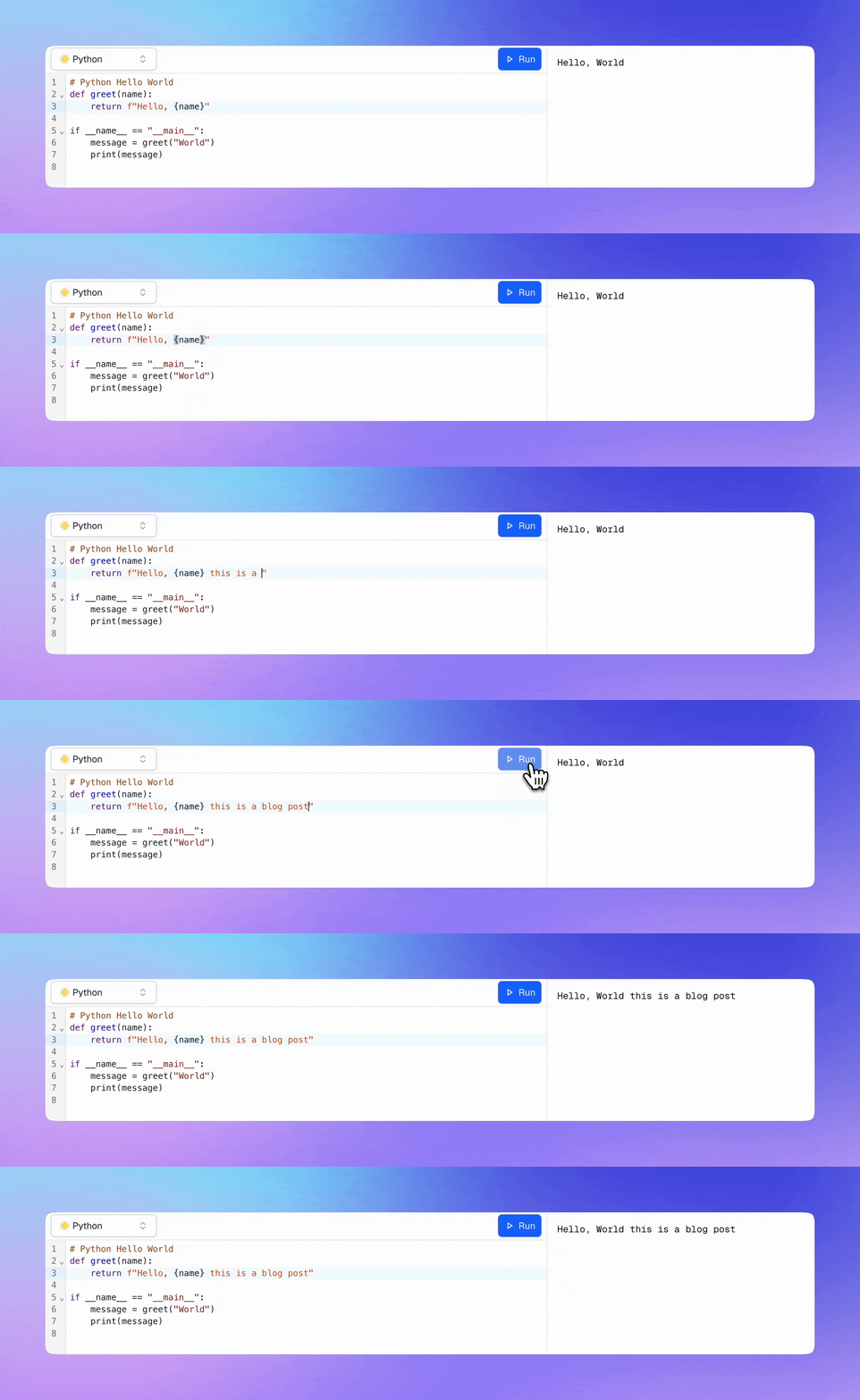
Run output is just more shared state. The result lands in the room's Y.Doc, so both output panels show it at the same moment.
Where to take it from here
What stuck with me building this was how little of it we actually wrote. A few years ago, "real-time collaborative editor with safe code execution" would have meant a fleet of WebSocket servers, a shared Redis, sticky sessions, and a pile of container infrastructure to keep alive. This version is a CRDT plus two Cloudflare pieces: a Durable Object for the room, a Sandbox for the code. Nothing to run, nothing to keep in sync by hand. A lot of what looks like distributed-systems work was really just picking the building block that already had the right shape.
It also leaves a lot of room to grow. The room's Y.Doc can hold anything you want shared, so most of the obvious next features are variations on what's already here:
- Presence and live cursors. Yjs has an
awarenesschannel for exactly this. Pass it into the editor binding and collaborators show up in color. - Multi-file workspaces. Model a file tree in the same document, one
Y.Textper file, and the editor turns into a real project instead of a single scratchpad. - A live dev server. The sandbox is a real container, so it can
npm run devand serve a running app, not just print stdout.
All of this runs CoderScreen, our platform for live coding interviews. If you run technical interviews, give it a try, and tell us what breaks.
Thanks for reading.